Disk analyzer for macOS 12 or later
See where your disk space went. Get it back safely.
ebb reads your whole disk in about a minute, explains every large item and cleans only what you approve. Nothing leaves your Mac.
brew install doguyilmaz/tap/ebb5.1 GBwas free
98.3 GBcould go
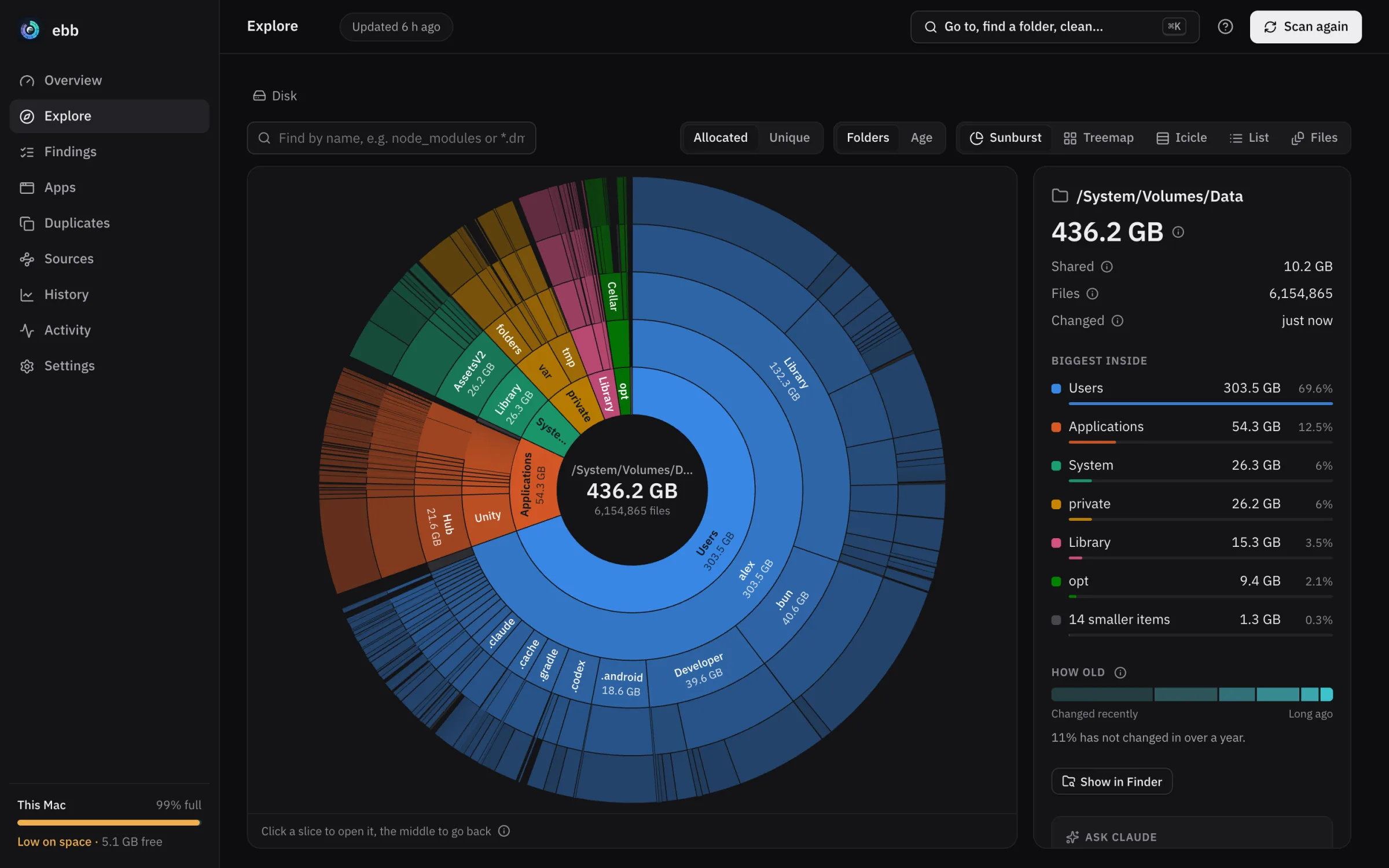
- ~1 minfor the first scan of 6 million files
- Secondsfor every scan after that, which reads only the folders that changed
- 1 binarywith the window, a CLI, a background service and an MCP server
It knows what your tools leave behind.
Rules for package managers, Xcode, Android, browsers and apps say what a folder is, why it grew and whether it comes back on its own.
-
Package caches
npm, Bun, pnpm, Yarn, Cargo, Go, Gradle, CocoaPods, pip and more.
~/.bun/install/cache33.8 GB
-
Apps
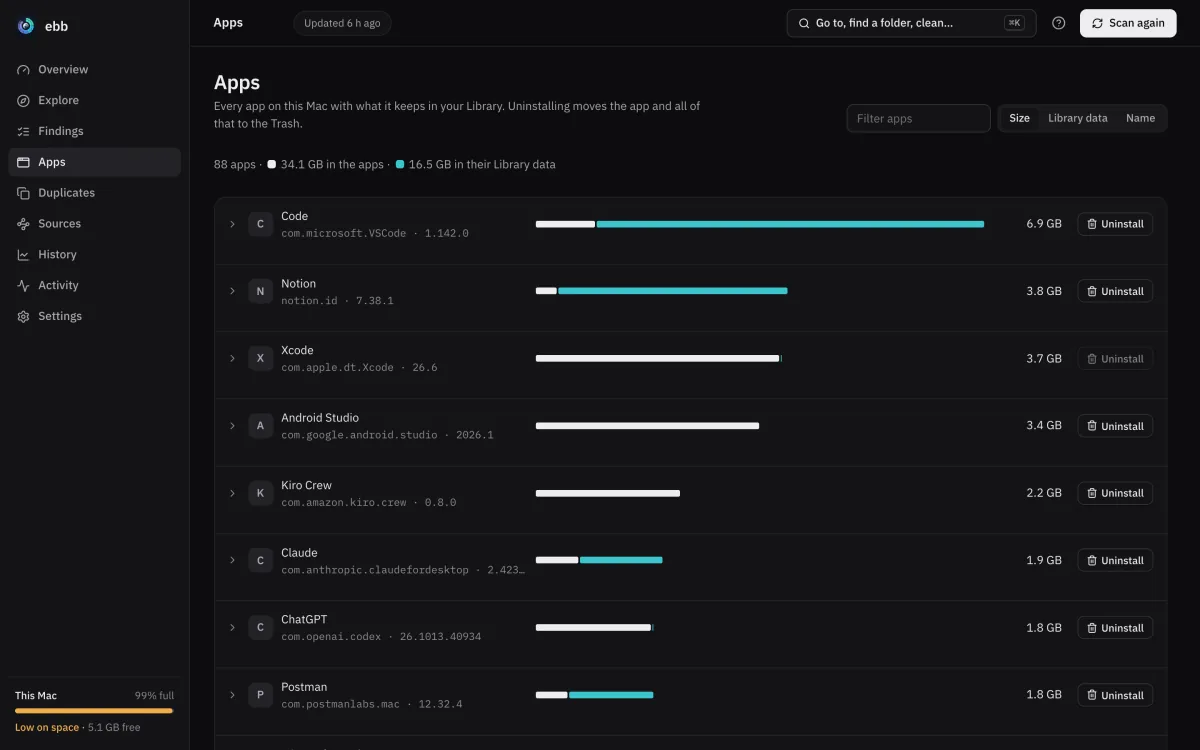
What each app keeps in your Library and what removed apps left behind.
88 apps, Library data16.5 GB
-
Logs and other tools
Docker data, old IDE versions, logs, installers in Downloads and local snapshots.
~/Library/Logs7.9 GB
-
Your own files
Duplicates and the largest and oldest files. These are never cleaned for you.
large files5.8 GB
-
Xcode and simulators
DerivedData, archives, device support, unavailable simulators, old runtimes and docsets.
~/Library/Developer4.3 GB
-
Old projects
Build folders of projects you have not touched for months.
node_modules, target, build2.6 GB
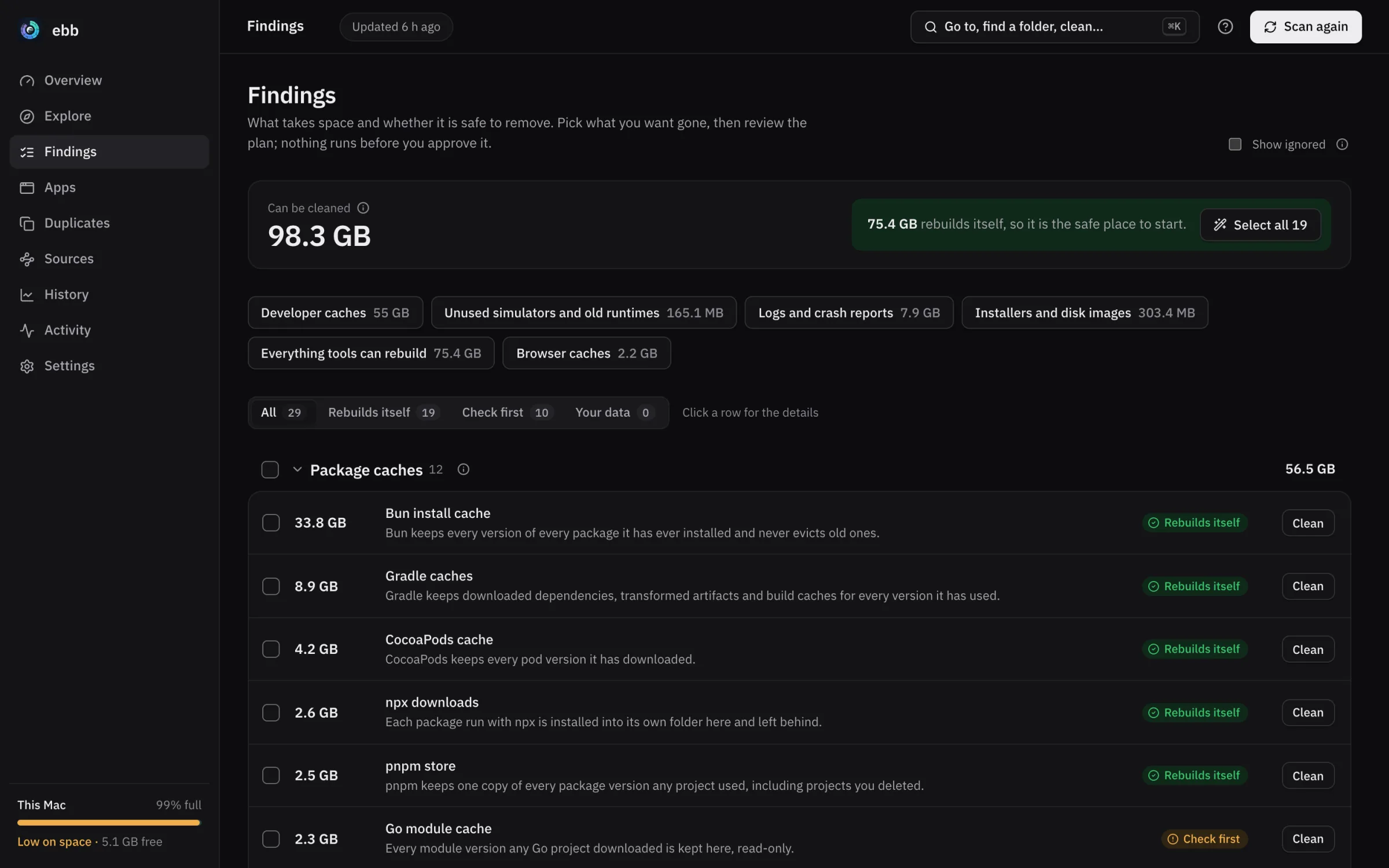
Every finding says how safe it is.
You see why it is there and what removing it costs before you pick it. When a tool has its own clean command, ebb runs that.
-
Rebuilds itself
75.4 GB in 19 findings
The tool downloads or builds it again when it needs it. The first build after may be slower.
-
Check first
22.9 GB in 10 findings
Probably safe, but something may still use it. The finding says what to look at.
-
Your data
Your call
Duplicates and large files in your own folders go to the Trash only when you say so.
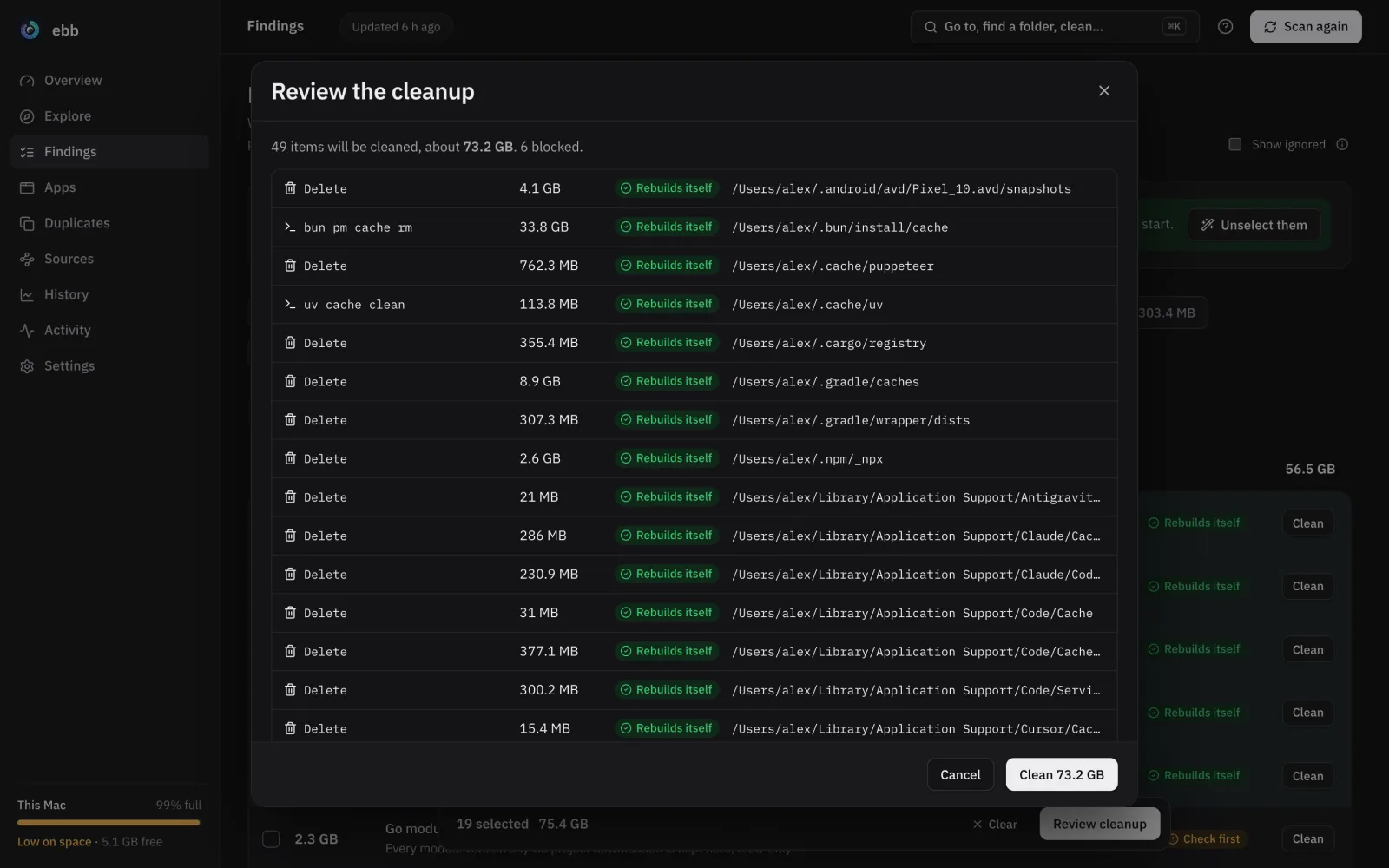
Nothing runs before you approve it.
Every cleanup starts as a plan. It lists each action, its size, how safe it is and anything blocking it.
It will never
- Touch anything outside the folder it scanned
- Touch system folders, Keychains, iCloud or your protect list
- Remove anything that changed since the plan was made
- Uninstall an app while it is running
- Run as root
- Send anything off your Mac: no account, no telemetry
Your own files go to the Trash, so ebb undo can put them back.
Scan, read, plan, undo.
$ ebb scanAbout a minute for 6 million files the first time. After that ebb follows FSEvents and reads only the folders that changed.
$ ebb findingsWhat takes space, why it is there and how safe it is to remove.
$ ebb clean --preset dev-cachesShows the plan, then runs it after you confirm.
$ ebb undoPuts back what went to the Trash.
every command takes --json
$ ebb
ebb  /System/Volumes/Data  ·  6071190 files in 3.1s
Disk  494.4 GB total · 493.8 GB used · 604.1 MB free

Reclaimable  98.8 GB in 9 findings ebb can act on

Findings
  33.8 GB  regenerable  Bun install cache       ~/.bun/install/cache
   8.9 GB  regenerable  Gradle caches           ~/.gradle/caches
   8.5 GB  regenerable  Logs and crash reports  8 locations
   7.1 GB  caution      Unity Asset Store       ~/Library/Unity
   5.8 GB  caution      Large files             2 locations
   4.2 GB  regenerable  CocoaPods cache         ~/Library/Caches/CocoaPods
Agents plan. You approve.
ebb assistant install registers ebb's MCP server with your AI tools. An agent can scan, read findings, explain any path and make a cleanup plan. The plan waits until you approve it in the window or with ebb approve.
ebb mcp · tools
- ebb_scan
- ebb_overview
- ebb_findings
- ebb_explain
- ebb_top
- ebb_search
- ebb_apps
- ebb_duplicates
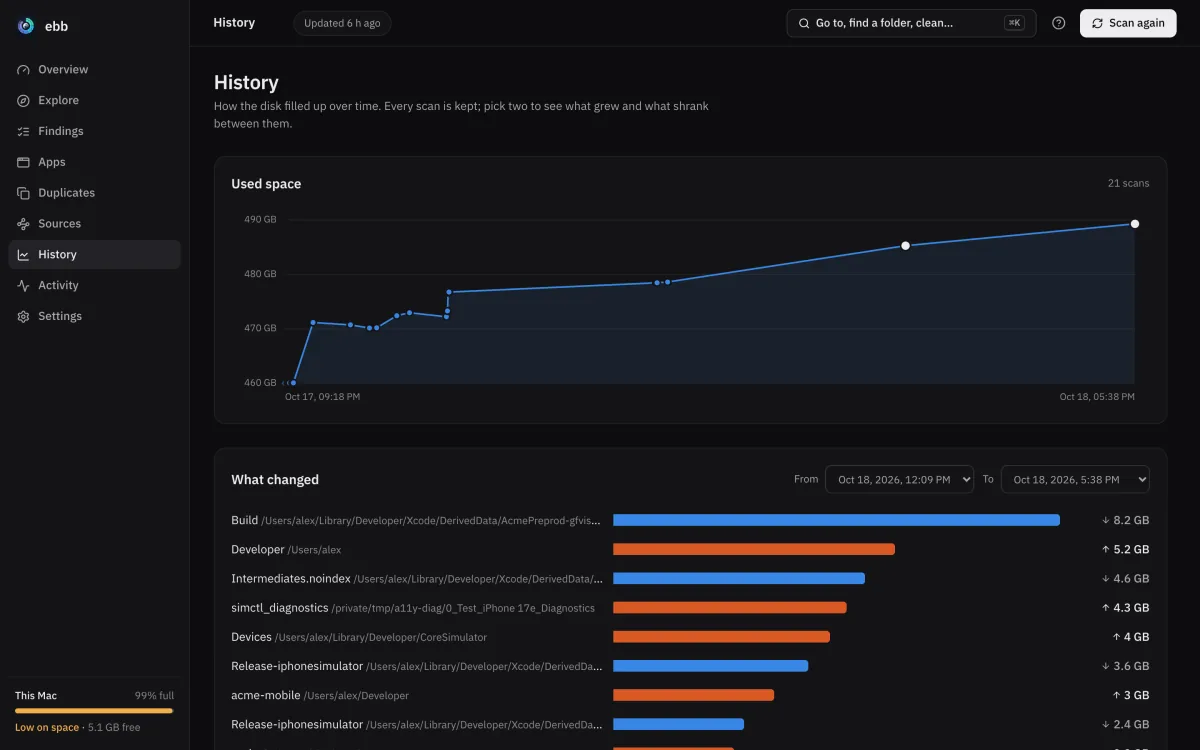
- ebb_history_diff
- ebb_cleanup_plan
- ebb_undo
When the window or the background service runs, agents share its scan.
Then it keeps the numbers fresh.
The background service starts at login, scans what changed and warns you before space runs out.
ebb daemon install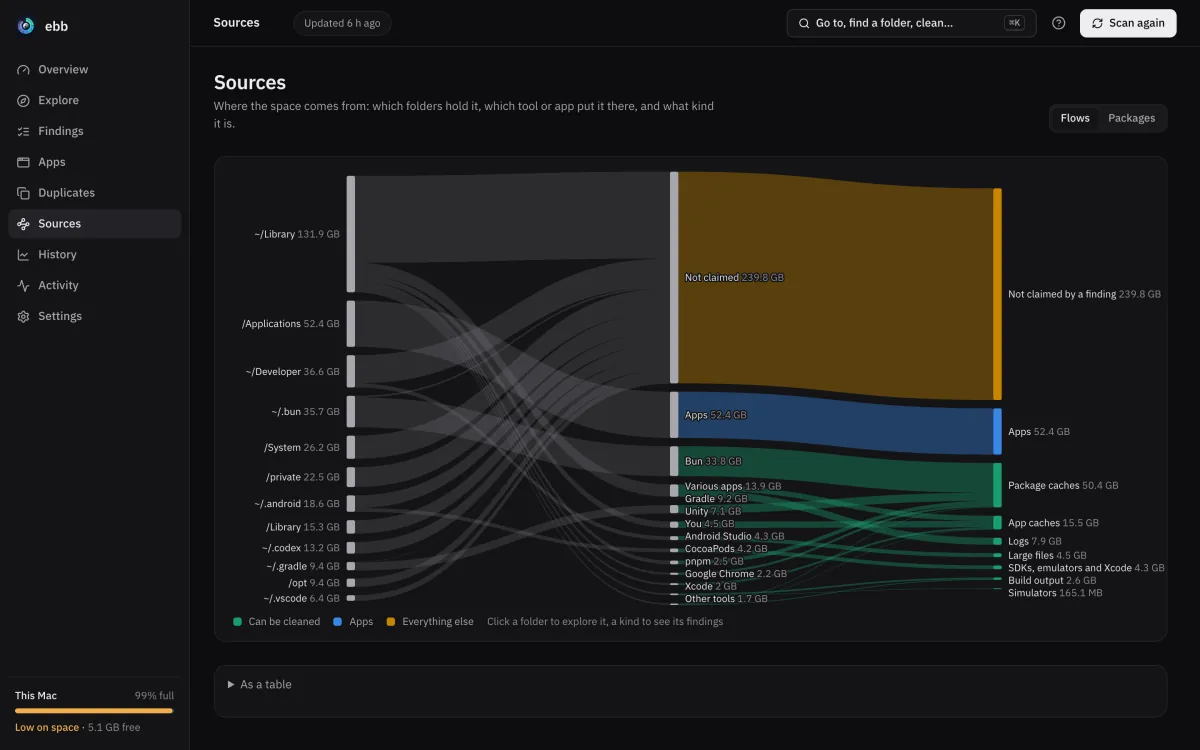
Try it on your Mac.
Scanning only reads. You decide later if anything goes.
brew install doguyilmaz/tap/ebbebb serve --openAlready running? Open the window in Chrome, Edge or Firefox.